
Step 1: Choose a miner by efficiency and generation
Bitcoin is mined with ASIC miners. These machines do one job: they run the proof-of-work that secures the network. The most important number on a spec sheet is efficiency, which is how much power the miner uses for each unit of hashrate. It is usually shown in joules per terahash (J/TH). A lower figure is better, because electricity is the main running cost for as long as you own the machine.
Model generation matters for the same reason. Newer chips usually do more work for the same power, so a recent model tends to stay useful longer as the network grows. The network adjusts its difficulty using what the Bitcoin white paper calls "a moving average targeting an average number of blocks per hour". When more machines join, each machine earns a smaller share.
The revenue one unit of hashrate earns is called hashprice. Here are today's values:
- Hashprice
- $0.0301 per TH/s a day
- Network difficulty
- 134.8 T
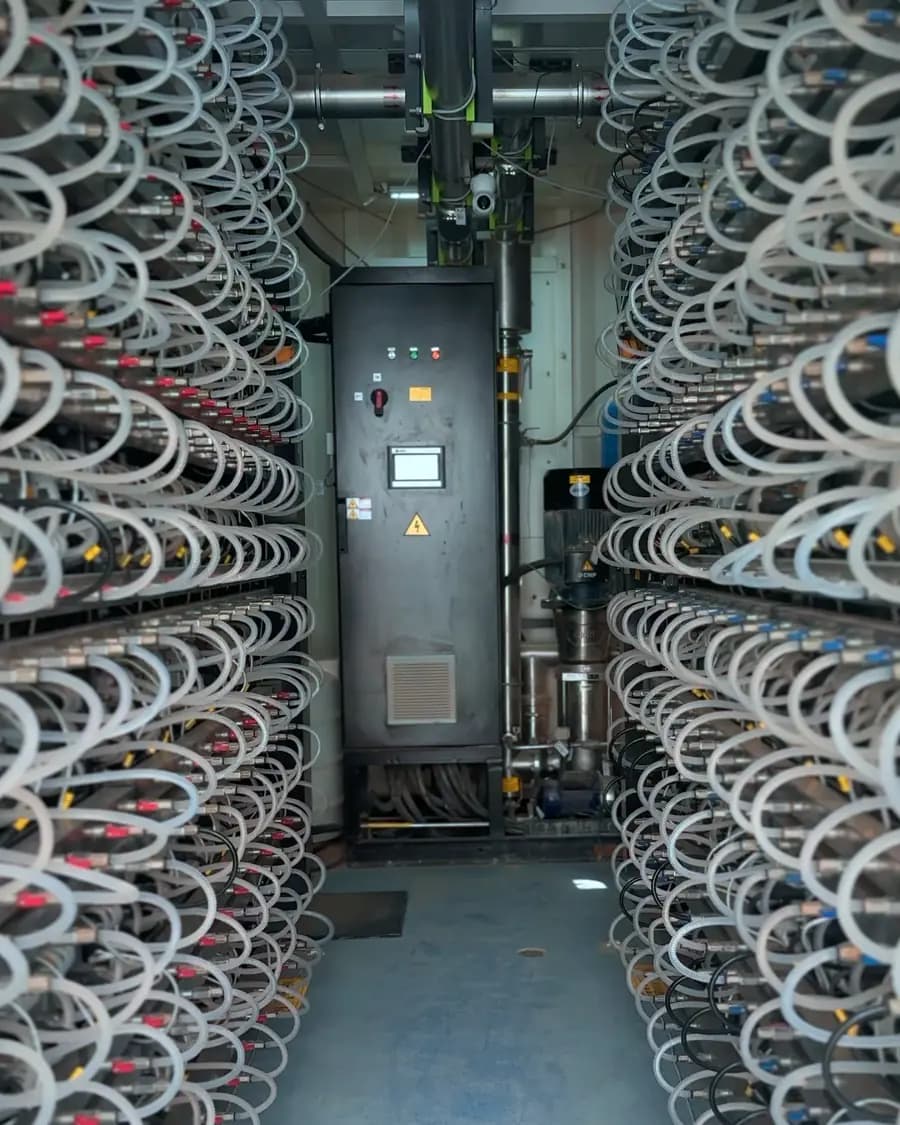
Also decide on cooling. Air-cooled miners run on fans and suit standard racks. Hydro-cooled miners need a water loop and a site built for it, so they are a hosting choice, not a home one. Two examples from our catalogue, one of each type:
Bitmain Antminer S21 XP (270TH)
270 TH · 13.5 J/TH
Today's price
$3,970
See this miner
Antminer S23hyd (563T)
563 TH · 9.8 J/TH
Today's price
$16,950
See this miner
 Illustration
Step 2: Buy new or used
A new miner comes from the manufacturer or an authorised reseller, with full paperwork and a clean history. A used miner costs less upfront, but its condition varies. Hashboards, fans and power supplies wear with use, and a unit that has run hot for a long time may have weak boards.
If you buy used, ask for a test video showing the miner hashing, the serial numbers and any repair history. Check that the seller states in writing what after-sales support comes with the unit. Our guide to buying a used ASIC miner walks through the checks in detail.
Step 3: Mine at home or use hosting
A single ASIC is loud, gives off a lot of heat and draws a steady, heavy load. In the UAE climate, that heat adds directly to your air-conditioning load. Many homes also lack wiring sized for continuous high current. Tenancy rules and neighbours may object to the noise as well.
Hosting means a provider runs your miner in a purpose-built centre. You still own the machine. The provider supplies power, cooling, network and on-site staff, and bills you for the power used and the service. Uptime is a target the provider works towards, not a promise, so ask how it is measured and reported.
| Point | Home mining | Hosted mining |
|---|---|---|
| Heat and cooling | Your room and your AC | Designed airflow or water loops |
| Noise | In your living space | In an industrial hall |
| Power supply | Residential wiring | Supply built for mining loads |
| Hydro miners | Not practical | Supported at suitable sites |
| Repairs | You arrange them | On-site technicians |
| Monitoring | You watch it | Provider dashboard and alerts |
Segments hosts miners at UAE centres such as F20 and F54. Before you sign with any provider, compare terms side by side. See hosting for how we work.
Step 4: Shipping and arrival
If you host, ship the miner straight to the hosting centre, not to your home. This saves a second trip and extra handling. Before shipping, agree on the delivery address, the consignee name and who will handle customs clearance.
- Keep the commercial invoice, packing list and serial numbers together.
- Check import duties and documents before the goods leave the seller.
- Ask that each unit be photographed and its serial number checked on arrival.
- Expect a test run before the miner goes into its rack.
Customs clearance in the UAE has its own steps and paperwork. We plan to cover it in a separate guide.
Step 5: Connect to a mining pool
A single miner almost never finds a block on its own. A pool combines the hashrate of many miners and shares out the rewards, which gives you small, regular payouts instead of a rare jackpot. Read Bitcoin mining pools explained for the basics.
- Create an account with a pool and add your Bitcoin wallet address for payouts.
- Note the pool's stratum address and create a worker name for each miner.
- Enter the pool address, worker name and password in the miner's settings, or send them to your host.
- Confirm the miner shows up as active in the pool dashboard.
Pools pay in different ways. FPPS, PPS+ and PPLNS split the risk of luck differently between you and the pool. We plan to compare them in a separate article.
After setup: watch the first weeks
In the first weeks, compare the hashrate your pool reports with the miner's own figure. Look for rejected shares and check board temperatures. A gap between these numbers is often the first sign of a weak hashboard or a network problem. A good host will flag issues and explain what it did about them.
Questions
- Can I mine Bitcoin at home in the UAE?
- You can run an air-cooled miner at home, but it is loud and hot, and it draws a heavy, continuous load. In the UAE climate, that heat adds to your air-conditioning load, and many homes lack wiring sized for it. Hydro-cooled miners need a water loop and are not practical at home. For these reasons, most buyers choose hosting.
- Do I need to live in the UAE to host a miner there?
- No. Hosting is managed remotely. You own the miner, the provider runs it, and you follow its output through your pool account and the host's dashboard. Segments has offices in Dubai, Athens and Kochi to help customers in different time zones.
- Should I choose an air-cooled or a hydro-cooled miner?
- Air-cooled miners work in standard racks and are easier to move or resell. Hydro-cooled miners use a water loop and usually deliver more hashrate per unit, but they need a site built for them. If you plan to host, ask which cooling types the provider supports before you buy.
Sources
- Bitcoin: A Peer-to-Peer Electronic Cash System · Satoshi Nakamoto (bitcoin.org), 2008-10-31